▸ Browser API · experimental v1
API.
Script the configurator in your own browser: read a build, place parts under its rules, validate and share.
▸ Three calls, one build
▸ Quickstart
Open the configurator in its own tab, open the browser’s developer console, paste. Steps 1 to 3 only read. Step 4 replaces the build on screen, so step 2 keeps a link to yours first and step 6 puts it back.
Why toUrl() and not the address bar: the address catches up about 400 ms after an edit; toUrl() is exact at once. It returns the part after the #. For your own types, download hex-api.d.ts.
Load it once per page with await window.__loadHexAPI(); it is then also on window.hexAPI. The loader is not there inside a frame.
- one base
- place a second
- two bases
api.apply({ op: 'place', at: { q: 1, r: 0, level: 0 }, variant: 'full' }), drawn from the configurator’s own placement.
// 1. Load the API (a lazy chunk; once per page).
const api = await window.__loadHexAPI();

// 2. Keep your current build. toUrl() is exact even straight after an edit;
//    the address bar catches up about 400 ms later.
const original = new URL(location.href);
original.hash = await api.toUrl();

// 3. Read only: what is on the bench, and where a base can go.
const nodes = api.getState().nodes;
const sockets = api.openSockets({ family: 'piece', level: 0 });

// 4. Changes the build: replace it with one base, then add a second.
await api.load({ pieces: [{ q: 0, r: 0, level: 0, variant: 'full' }] });
const out = await api.apply({ op: 'place', at: { q: 1, r: 0, level: 0 }, variant: 'full' });
if (!out.ok) console.log(out.code, out.message, out.validAlternatives);

// 5. Read only: checks, parts list and a share link for this build.
const report = await api.validate();
const parts = api.bom().lines;
const share = new URL(location.href);
share.hash = await api.toUrl();

// 6. Put your own build back.
await api.load(original.href);

({ nodes: nodes.length, sockets: sockets.length, placed: out.ok, ok: report.ok, parts: parts.length, share: share.href });
✓ testedresult.placed === trueresult.ok === trueresult.parts > 0result.share.includes('#v2')
Every name, by what it does
197 of 197 shown
Reads the build 9
Members that look and never change anything.
readonly version: 1;
getState(): HexState;
listProps(): readonly PropInfo[];
listParts(): readonly PartInfo[];
openSockets(query: SocketQuery): readonly OpenSocket[];
validate(): Promise<ValidationReport>;
bom(options?: PackOptions): BomSummary;
toUrl(): Promise<string>;
settle(): Promise<void>;
Changes the build 5
Members that change the build on screen; undo works.
const out = await api.apply(op);✓ when it is accepted
The change is on the build; undo works.
Refs of the parts this op put in.
Refs of the parts it took out.
Only the issues this op newly caused (V-40x).
Refused, it carries a code instead: R-300.
apply(op: HexOp): Promise<MutationOutcome>;
applyAll(ops: readonly HexOp[], options?: ApplyAllOptions): Promise<BatchResult>;
load(input: string | StarterState): Promise<{ ok: true } | { ok: false; code: 'DECODE_FAILED' | 'LINK_TOO_BIG'; message: string }>;
undo(): boolean;
redo(): boolean;
Ops on a cell 7
One hexagonal cell on one storey.
await api.apply({ op: 'place', at: { q: 0, r: 0, level: 0 }, variant: 'full' });{ op: 'place' }
- at
- Cell
- The cell, as openSockets gives it.
- variant
- Variant
- The cell shape the part fits.
- storeys?
- 1 | 2 | 3
- A tall base: 2 or 3 stories in one part.
{ op: 'addSnap' }
- at
- Cell
- The cell, as openSockets gives it.
- variant
- Variant
- The cell shape the part fits.
{ op: 'addBin' }
- at
- Cell
- The cell, as openSockets gives it.
- stem
- string
- The part name, as openSockets gives it.
{ op: 'addCap' }
- at
- Cell
- The cell, as openSockets gives it.
- face
- '*' | '#'
- '*' a cell face, '#' a cut.
- bearingDeg
- number
- Bearing in degrees, as openSockets gives it.
- capVariant?
- string
- Cap variant (values.capVariant); 'solid' when omitted.
- storeys?
- 1 | 2
- A two-story cap.
{ op: 'addDrawer' }
- at
- Cell
- The cell, as openSockets gives it.
- key
- string
- The drawer, as openSockets gives it.
- style?
- string
- Drawer style (values.drawerStyle); 'classic' when omitted.
- storeys?
- 1 | 2 | 3
- A tall drawer.
{ op: 'setDrawerOpen' }
- at
- Cell
- The cell, as openSockets gives it.
- open
- boolean
- Open or closed.
- west?
- boolean
- The west drawer of a pair.
{ op: 'addRiser' }
- at
- Cell
- The cell, as openSockets gives it.
Ops on a face 6
The top or the bottom of a cell.
await api.apply({ op: 'addCover', at: { q: 0, r: 0, level: 0 }, variant: 'full', face: 'top' });{ op: 'addCover' }
- at
- Cell
- The cell, as openSockets gives it.
- variant
- Variant
- The cell shape the part fits.
- face
- Face
- 'top' or 'bottom'.
- type?
- string
- Cover type (values.coverType); 'plain' when omitted.
{ op: 'setCoverType' }
- at
- Cell
- The cell, as openSockets gives it.
- variant
- Variant
- The cell shape the part fits.
- face
- Face
- 'top' or 'bottom'.
- type
- string
- Cover type (values.coverType).
{ op: 'setCoverMagnets' }
- at
- Cell
- The cell, as openSockets gives it.
- variant
- Variant
- The cell shape the part fits.
- face
- Face
- 'top' or 'bottom'.
- on
- boolean
- Magnets on or off.
{ op: 'addInsert' }
- at
- Cell
- The cell, as openSockets gives it.
- variant
- Variant
- The cell shape the part fits.
- face
- Face
- 'top' or 'bottom'.
- bearingDeg
- number
- Bearing in degrees, as openSockets gives it.
- stem
- string
- The part name, as openSockets gives it.
- chain?
- boolean
- Fit the inserts the part needs under it as well.
{ op: 'addHandle' }
- at
- Cell
- The cell, as openSockets gives it.
- face
- Face
- 'top' or 'bottom'.
- chain?
- boolean
- Fit the inserts the handle needs as well.
{ op: 'addCoverHub' }
- at
- Cell
- The cell, as openSockets gives it.
- variant
- Variant
- The cell shape the part fits.
- face
- Face
- 'top' or 'bottom'.
Ops on a flat 4
One of the six sides of a cell, 0 to 5.
await api.apply({ op: 'addJointBolt', at: { q: 0, r: 0, level: 0 }, slot: 0 });{ op: 'addJointBolt' }
- at
- Cell
- The cell, as openSockets gives it.
- slot
- number | string
- A flat 0-5, or a cut slot as openSockets gives it.
{ op: 'addAccessory' }
- at
- Cell
- The cell, as openSockets gives it.
- slot
- number | Face
- A flat 0-5, or the top or bottom.
- stem
- string
- The part name, as openSockets gives it.
{ op: 'addPort' }
- at
- Cell
- The cell, as openSockets gives it.
- slot
- number
- A flat 0-5.
- stem
- string
- The part name, as openSockets gives it.
{ op: 'addBinBolt' }
- at
- Cell
- The cell, as openSockets gives it.
- slot
- number | 'cut'
- A flat 0-5, or 'cut'.
- stem
- string
- The part name, as openSockets gives it.
Ops on a corner 2
A corner of a cell, between flats k and k+1.
await api.apply({ op: 'addNotch', at: { q: 0, r: 0, level: 0 }, k: 0, stem: STEM });{ op: 'addNotch' }
- at
- Cell
- The cell, as openSockets gives it.
- k
- number
- A corner 0-5.
- stem
- string
- The part name, as openSockets gives it.
{ op: 'setNotchOpen' }
- at
- Cell
- The cell, as openSockets gives it.
- k
- number
- A corner 0-5.
- open
- boolean
- Open or closed.
Ops on an edge 1
The flat two neighbouring cells share.
await api.apply({ op: 'addConnector', level: 0, edge: [{ q: 0, r: 0 }, { q: 1, r: 0 }], kind: KIND });{ op: 'addConnector' }
- level
- number
- The storey, 0 at the ground.
- edge
- readonly [Site, Site]
- The two cells either side of the edge.
- kind
- string
- The connector name, as openSockets gives it.
Ops on a junction 2
The point where three cells meet.
await api.apply({ op: 'addSpike', level: 0, junction: [{ q: 0, r: 0 }, { q: 1, r: 0 }, { q: 1, r: -1 }] });{ op: 'addSpike' }
- level
- number
- The storey, 0 at the ground.
- junction
- readonly [Site, Site, Site]
- The three cells that meet.
- variant?
- string
- Spike variant (values.spikeVariant).
- facing?
- 'up' | 'down'
- Which way the spike points.
{ op: 'setSpikeAccessory' }
- level
- number
- The storey, 0 at the ground.
- junction
- readonly [Site, Site, Site]
- The three cells that meet.
- accessory
- string | null
- Accessory name (values.spikeAccessory), or null to take it off.
Ops on a run 1
A pipe path through a list of cells.
await api.apply({ op: 'addRun', level: 0, start: { q: 0, r: 0 }, entryEdge: 0, through: [{ q: 0, r: 0 }, { q: 1, r: 0 }] });{ op: 'addRun' }
- level
- number
- The storey, 0 at the ground.
- start
- Site
- The cell the pipe enters.
- entryEdge
- number
- The arm it enters by, 0-7, as openSockets gives it.
- through
- readonly Site[]
- The cells it passes through, in order.
- mode?
- string
- What it is plumbed for (values.runMode).
Ops on a placed part 3
A part already on the build, by its ref or id.
await api.apply({ op: 'remove', ref: REF });{ op: 'remove' }
- ref
- NodeRef
- A ref from getState().nodes or an outcome.
- sweepOrphans?
- boolean
- Also remove parts the removal leaves holding nothing. A part with something standing on it is still refused (LOAD_ABOVE).
{ op: 'rotate' }
- ref
- NodeRef
- A ref from getState().nodes or an outcome.
- stepDeg
- number
- The turn in degrees: a whole multiple of the part's step (60 bin or insert, 120 full cover, 180 port); negative turns back.
{ op: 'setRunMode' }
- id
- string
- The run's id: the key of its run: ref.
- mode
- string
- values.runMode.
Ops on the build 1
A setting of the whole build.
await api.apply({ op: 'setFootBolt', mm: MM });{ op: 'setFootBolt' }
- mm
- number
- Foot bolt length in millimetres.
Ops on Props, soil and plants 8
Staging on the build: a prop placed or moved, the soil in a part, a plant in soil or a pot. Not parts, and not on the BOM.
{ op: 'removeProp' }
- ref
- PropRef
- A placed prop, from getState().staging.props or an outcome.
{ op: 'fillPot' }
- ref
- PropRef
- The pot, from getState().staging.props.
{ op: 'emptyPot' }
- ref
- PropRef
- The pot, from getState().staging.props.
{ op: 'plant' }
- id
- string
- A plug plant from listProps() (plant: true).
- in
- PropRef | NodeRef
- A pot of soil (getState().staging.props), or a part that holds soil (configurator only).
- atMm?
- { readonly x: number; readonly z: number }
- In a part: plant at the bed nearest this point; left out, the first bed.
{ op: 'addProp' }
- id
- string
- A prop from listProps().
- on?
- NodeRef | PropRef | 'bench'
- What it stands on: a piece, cover, cap, bin, drawer or soil part, a placed prop, or the bench. Left out: whatever is under the aim.
- atMm?
- { readonly x: number; readonly z: number }
- Aim straight down at this point, mm. Left out: the centre of on; for the bench, clear of the build.
- yawDeg?
- number
- A turn about the vertical, degrees.
- pose?
- 'rest'
- Its resting pose. addProp always rests it; moveProp keeps the prop's own turn unless this is 'rest'.
- drop?
- boolean
- Let it fall and settle, as the props panel's Drop does.
{ op: 'moveProp' }
- ref
- PropRef
- A placed prop, from getState().staging.props or an outcome.
- on?
- NodeRef | PropRef | 'bench'
- What it stands on: a piece, cover, cap, bin, drawer or soil part, a placed prop, or the bench. Left out: whatever is under the aim.
- atMm?
- { readonly x: number; readonly z: number }
- Aim straight down at this point, mm. Left out: the centre of on; for the bench, clear of the build.
- yawDeg?
- number
- A turn about the vertical, degrees.
- pose?
- 'rest'
- Its resting pose. addProp always rests it; moveProp keeps the prop's own turn unless this is 'rest'.
- drop?
- boolean
- Let it fall and settle, as the props panel's Drop does.
{ op: 'fillSoil' }
- part
- NodeRef
- A bin, bolt-on bin, or notch or bay bin, from getState().nodes.
- to?
- 'rim' | 'dividers'
- To the rim (the default), or to the dividers, each compartment its own bed (configurator only). Headless, the rim is configurator only too once a plug plant is on the build, because the plants are re-seated.
{ op: 'emptySoil' }
- part
- NodeRef
- The bin, bolt-on bin, or notch or bay bin holding the soil.
Reading a refusal
What every refused op hands back. The codes follow, by kind.
× when it is refused
Nothing changed: the build is exactly as it was.
The reason, stable: the R-30x sheets below list every one.
For people. It may change: never branch on it.
Specifics of this refusal.
Up to 12 nearby places the same part fits, each with its op.
Branch on code, never on message: the message is written for people and may change. New codes may appear while the API is experimental.
Refused: pipe routing 17
A pipe cannot be routed this way.
Refused: wrong kind here 8
The part needs another kind, hand or gender here.
Refused: something in the way 21
Another part already fills, blocks or reaches into the place.
Refused: nothing there 13
The thing the op needs is not there.
Refused: the op itself 6
The op is malformed, or names something the configurator does not know.
Refused: props, soil and pots 12
The prop, pot or soil the op names is not there, not that kind, or has no place to rest.
Refused: other 17
Every other rule.
validate() errors 3
validate() warnings 6
validate() infos 1
Pipe routing problems 16
Read as ROUTE_ and the name, or COVER_HUB_ and the name.
Value lists 7
Part families 21
What getState() calls each placed part.
Tested pastes
const api = await window.__loadHexAPI();
const original = new URL(location.href);
original.hash = await api.toUrl();

await api.load({ pieces: [{ q: 0, r: 0, level: 0, variant: 'full' }] });
// A second full base in the same cell: the rules say no, and say why.
const out = await api.apply({ op: 'place', at: { q: 0, r: 0, level: 0 }, variant: 'full' });
let retried = null;
if (!out.ok) {
    // branch on out.code, never on out.message
    const next = out.validAlternatives[0];
    if (next) retried = await api.apply(next.op);
}

await api.load(original.href);
({ ok: out.ok, code: out.ok ? null : out.code, retried: retried?.ok });
✓ testedresult.ok === falsetypeof result.code === 'string'result.retried === true
const api = await window.__loadHexAPI();
const original = new URL(location.href);
original.hash = await api.toUrl();

await api.load({ pieces: [{ q: 0, r: 0, level: 0, variant: 'full' }] });
const sockets = api.openSockets({ family: 'bin', level: 0 });
const out = sockets.length ? await api.apply(sockets[0].op) : null;

await api.load(original.href);
({ offered: sockets.length, ok: out?.ok, added: out?.ok ? out.added : [] });
✓ testedresult.offered > 0result.ok === trueresult.added.length > 0
const api = await window.__loadHexAPI();
const original = new URL(location.href);
original.hash = await api.toUrl();

await api.load({ pieces: [{ q: 0, r: 0, level: 0, variant: 'full' }] });
const ops = [
    { op: 'place', at: { q: 1, r: 0, level: 0 }, variant: 'full' },
    { op: 'place', at: { q: 0, r: 0, level: 0 }, variant: 'full' }, // refused: occupied
];
// Atomic by default: one refusal undoes the whole batch.
const all = await api.applyAll(ops);
const after = api.getState().nodes.length;
// Try every op and report every refusal. Still atomic: one refusal means
// nothing is kept, but a batch with no refusal is kept whole (not a dry run).
const tried = await api.applyAll(ops, { stopOnRefusal: false });
const kept = api.getState().nodes.length;

await api.load(original.href);
({ rolledBack: all.rolledBack, after, refusals: tried.outcomes.filter((o) => !o.ok).length, kept });
✓ testedresult.rolledBack === trueresult.after === 1result.refusals === 1result.kept === 1
applyAll(ops) is atomic and stops at the first refusal: one refusal undoes the batch. { stopOnRefusal: false } tries every op and reports every refusal, and stays atomic: one refusal and nothing is kept, no refusal and the whole batch is. There is no dry run. { keepGoing: true } keeps every op that was accepted. Whatever a batch keeps is one undo step: one undo(), or one Ctrl+Z, takes it all back.
The rules can allow a change the geometry refuses: the collision gate measures the real models, puts the build back and says MESH_CLASH. When it could not judge in time, the op stays in with a MESH_NOT_RUN warning.
const api = await window.__loadHexAPI();
const original = new URL(location.href);
original.hash = await api.toUrl();

// A real share link: two bases, a bin, two covers. Put any Hex Cluster
// link in its place, or just its '#v2s=…' part.
const SHARE_LINK = '#v2s=hY5BCoMwEEXv8tcjxG08SnER7RRDw5gmMRREz14StNJVN8Obz-PPrMjQLSFCr_CWR47QtxUvaEUIdTrO7CplE6yRBI3H4hw2qmL7X-wJUYwv3QW9ffLB45w5FIYiRaorfpdmD0L7GxT5W2ElckjHMhm5u6tQhMc0h2MPi5xkI5_pYOU6uk_8bgYrTX2237YP';
const opened = await api.load(SHARE_LINK);
if (!opened.ok) throw new Error(opened.message);
const { nodes } = api.getState();
const families = new Set(nodes.map((n) => n.family));
const printed = api.bom().lines.filter((l) => l.kind === 'printed');

await api.load(original.href);
({ families: families.size, printed: printed.length });
✓ testedresult.families > 0result.printed > 0
const api = await window.__loadHexAPI();
const original = new URL(location.href);
original.hash = await api.toUrl();

await api.load({ pieces: [{ q: 0, r: 0, level: 0, variant: 'full' }] });
const bin = api.listParts().find((p) => p.name === 'Bin, full depth');
const sockets = api.openSockets({ family: bin.family, stem: bin.value, level: 0 });
const out = sockets.length ? await api.apply(sockets[0].op) : null;
// The parts list names it the same way, by its published part.
const line = api.bom().lines.find((l) => l.key === bin.part);

await api.load(original.href);
({ part: bin.part, placed: out?.ok, listed: line?.label === bin.name });
✓ testedresult.part === 'hex-bin-full'result.placed === trueresult.listed === true
const api = await window.__loadHexAPI();
const original = new URL(location.href);
original.hash = await api.toUrl();

await api.load({ pieces: [{ q: 0, r: 0, level: 0, variant: 'full' }] });
const bin = api.openSockets({ family: 'bin', level: 0 })[0];
if (bin) await api.apply(bin.op);
// The link for your printer. Opening it downloads; this only reads it.
const { pack } = api.bom({ format: 'stl', bed: { x: 256, y: 256 } });

await api.load(original.href);
({ url: pack.url, why: pack.why, bed: pack.bed.x });
✓ testedtypeof result.url === 'string'result.url.startsWith('https://academy.onethousanddrones.com/api/printable-pack?release=')result.url.includes('format=stl')result.why === nullresult.bed === 256
const api = await window.__loadHexAPI();
const original = new URL(location.href);
original.hash = await api.toUrl();

// A real share link: one base, and a small pot on the bench beside it.
await api.load('#v2s=RYxBCsMgFETvMutfMFm6yj1KFmJ_qVS-Vo0UJHcvkZhuhjfwZhoq9ETI0A3RseUMfW_4QCtC6um5su9UTXJGCjSem_fYV0IWE4_JgdG9-WQbKqfBl-EkcypneRl5-L8vwraEsUmbDHL5eoop9CvEUG7fvMyzUqRILT1pwrrvPw');
const pot = api.getState().staging.props.find((p) => p.pot);
const mint = api.listProps().find((p) => p.plant && p.id.startsWith('mint'));

const filled = await api.apply({ op: 'fillPot', ref: pot.ref });
// a prop ref changes with the prop: plant in the ref the fill handed back
const planted = await api.apply({ op: 'plant', id: mint.id, in: filled.added[0] });
const now = api.getState().staging.props.find((p) => p.pot);

await api.load(original.href);
({ filled: filled.ok, planted: planted.ok, plant: now.pot.plant });
✓ testedresult.filled === trueresult.planted === trueresult.plant.startsWith('mint')
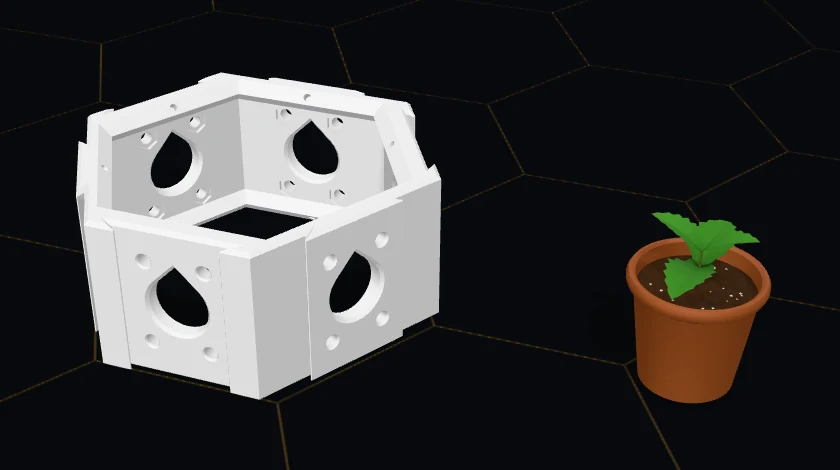
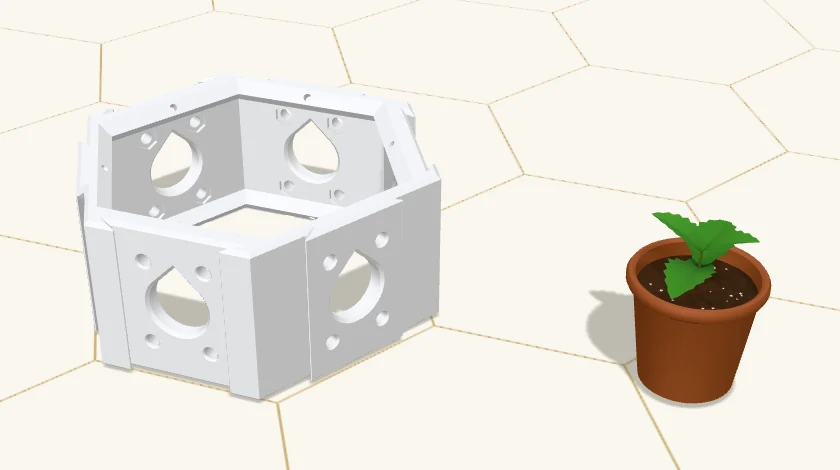
const api = await window.__loadHexAPI();
const original = new URL(location.href);
original.hash = await api.toUrl();

await api.load({ pieces: [{ q: 0, r: 0, level: 0, variant: 'full' }] });
const lid = api.openSockets({ family: 'cover', level: 0 }).find((s) => s.op.face === 'top');
const cover = (await api.apply(lid.op)).added[0];

// A tape measure on the cover, resting as the props panel would rest it.
const placed = await api.apply({ op: 'addProp', id: 'tape', on: cover });
// Move it along and turn it a quarter: the ref changes with it.
const moved = await api.apply({
    op: 'moveProp',
    ref: placed.added[0],
    on: cover,
    atMm: { x: 20, z: 0 },
    yawDeg: 90,
});
const props = api.getState().staging.props.length;

await api.load(original.href);
({ placed: placed.ok, moved: moved.ok, props });
✓ testedresult.placed === trueresult.moved === trueresult.props === 1
const api = await window.__loadHexAPI();
const original = new URL(location.href);
original.hash = await api.toUrl();

await api.load({ pieces: [{ q: 0, r: 0, level: 0, variant: 'full' }] });
const socket = api.openSockets({ family: 'bin', level: 0 })[0];
const bin = (await api.apply(socket.op)).added.find((r) => r.startsWith('bin:'));

// Soil to the rim, then a plug plant seated in it.
const filled = await api.apply({ op: 'fillSoil', part: bin });
const mint = api.listProps().find((p) => p.plant && p.id.startsWith('mint'));
const planted = await api.apply({ op: 'plant', id: mint.id, in: bin });
const { soil, props } = api.getState().staging;

await api.load(original.href);
({ filled: filled.ok, soil: soil.length, planted: planted.ok, props: props.length });
✓ testedresult.filled === trueresult.soil === 1result.planted === trueresult.props === 1
▸ Cells and parts
A build is a lattice of hexagonal cells. A cell is { q, r, level }: two axial coordinates on the plan and a storey, 0 on the ground. Neighbours are 165.705 mm apart, centre to centre.
Every placed part is a node with a ref. Read refs from getState().nodes or an outcome’s added, pass them to remove or rotate, never build one. Moving a part is removing it and placing it again.
Part names come from listParts(): each entry gives the value, the op and field that take it, its name and what it is for. openSockets() then says where it fits, and every socket carries the exact op that fills it.
window.hexAPI runs inside your own configurator tab. Every change is a change to the build in front of you, so undo works and the address bar follows.
It is not a remote service: no server API, no key, no account. Nothing you do through it reaches anyone else’s build.
It can
- +read every placed part
- +list every place a part fits now
- +place, fit, turn and remove parts
- +apply a batch, all or nothing
- +validate fit and report collisions
- +give the parts list and cut list
- +make and open share links
It does not
- ×run on a server or without the page
- ×save to an account
- ×generate CAD, drawings or print files
- ×check strength or load capacity
- ×work inside the academy’s embedded view
A cell
{ q: 0, r: 0, level: 0 }A shape to paste, not a tested example: the rules decide whether this address takes the part. openSockets() lists the places that do.
▸ Share links
A share link is the configurator’s address with the build in its fragment, #v2s= and a compressed payload. Treat it as opaque: make it with toUrl(), open it with load() or by visiting it. load() also takes just the fragment.
Links are covered by the Hex Cluster v2 interface freeze: a v2 link keeps opening, and no part name a link can hold is removed or renamed. A v3 would use a new prefix; v2 links would still open as v2.
▸ Versions
window.hexAPI.version is 1. Until we say it is stable, any part may change, and every change is listed here with its date. v2 share links keep opening and v2 parts keep fitting either way.
- 2026-10-27v1A third-depth bin clears a plain pipe, not a coupling or fitting. Where a run puts a coupling (past a hose bend) or a fitting or hub in a cell, addBin refuses every drop-in bin there with PIPE_THROUGH_CELL, addRun refuses with ROUTE_BIN_IN_WAY when that hardware would land on a bin, and openSockets no longer offers those bins. The PIPE_THROUGH_CELL, bin-in-way and addBin descriptions say so. An undo after a refused edit no longer brings the refused part back.
- 2026-10-27v1A full- or half-depth bin and a pipe running sideways through the same cell now refuse each other by name: addBin answers PIPE_THROUGH_CELL and addRun answers ROUTE_BIN_IN_WAY, and openSockets no longer offers either one there. A third-depth bin still clears the pipe, and a -pvc bin still takes a riser through its floor. The addBin, addJointBolt and addNotch entries now say where each part fits: -pvc bins take a vertical riser; a joint bolt is offered from both of its cells, heads on the side you place from; a notch needs two bases that touch, a bay three.
- 2026-10-27v1openSockets asks for the spike it offers: type names the spike variant (solid by default) and the new facing field takes up or down, so a stud or mount is only offered where addSpike would keep it. A query with neither returns the same solid, facing-up sockets as before.
- 2026-10-27v1A spike and a drawer never share a corner of a cell: addSpike, setSpikeAccessory and addDrawer refuse with SPIKE_CLASH where they would, and openSockets no longer offers those spots. Opening a long drawer is refused with SPIKE_CLASH where it would reach a spike. openSockets now narrows drawers by key, as documented.
- 2026-10-26v1rotate turns by a whole number of the part's clicks: 60 for a bin or an insert, 120 for a full cover, 180 for a side port, which takes it through the wall to the other face. Any other step, and any turn of a half or quarter cover, is refused with TYPE_NOT_ALLOWED and nothing moves. A build loaded from a link or load(state) keeps every part but brings an angle it cannot be built at back to 0. Opening a drawer is refused with OVERLAPS_NEIGHBOUR where it would reach into a base.
- 2026-10-26v1load() refuses a starter state over 20,000 parts with LINK_TOO_BIG, as it already refused a link that size. An op on a build that arrived with a clash warns MESH_CLASH_KEPT; undo and removals on such a build now stick. listProps() gives each prop its kind and growth stage, so ids that share a label can be told apart. The batch example no longer calls stopOnRefusal: false a dry run: a batch with no refusal is kept whole. Clearer words on validate().ok, sweepOrphans, OPEN_CAP_FACE and the browser-only codes.
- 2026-10-25v1applyAll is one undo step: one Ctrl+Z takes back the whole batch. A refused atomic batch is taken back with no undo step left and nothing to redo.
- 2026-10-25v1Props, soil and plants. getState().staging and listProps() read them. addProp and moveProp rest a prop on a part, another prop or the bench, as the props panel would, and removeProp takes one off. fillSoil fills a bin to the rim or the dividers and re-seats the plants in it; emptySoil takes the soil out. fillPot, emptyPot and plant handle pots, and plant also goes into a part's soil. New refusal codes, and three new examples that run as pasted. A share link over 20,000 parts is refused with DECODE_FAILED, and a write that would take a build past it with LINK_TOO_BIG.
- 2026-10-25v1addFootprint is withdrawn while no footprint part is in the release: it could never succeed. A link that carries a footprint still opens, and its node can still be removed. openSockets offers no footprint.
- 2026-10-25v1listParts(): every part a script can name, with the op and field that take it, its name, what it is for and its printed size. bom() takes a bed, bed height and format and returns pack, the print pack link for the build or why there is none. A printed bom() line is now keyed by its published part and labelled with its name (a base reads hex-main, not full). A flag that is not true or false, a notch corner that is not 0 to 5, and an applyAll batch that is not a list are refused with INVALID_INPUT instead of being read loosely.
- 2026-10-24v1Experimental v1 published: 12 members, 28 ops, refusal and issue codes.
contract 2b45909b1064
Safety
A build that validates fits together. It is not tested for strength, parts are not load-rated, and a print depends on your printer and material. Read the Hex Cluster safety notes before you build.
Support
Questions go to hex@onethousanddrones.com. We aim to reply within 72 hours. Licensing and the credit line: license and attribution.
▸ Download links
Part files are download links, not a scripting interface: navigate or link to them; they do not answer cross-origin fetch. Every file is CC BY 4.0.
One file
/api/printable/{release}/{3mf|stl|step}/{part}.{ext}
Redirects to the file. Current release 2026-10-14; a release is never overwritten, so a saved link keeps giving the same file.
A pack of parts
/api/printable-pack?release=2026-10-14&format=3mf&parts=hex-main:2&plate=256x256
- release
- YYYY-MM-DD
- The current release. Any other gives 404.
- format
- 3mf | stl
- 3MF plates (default) or loose STL.
- parts
- part[:count],…
- Published part names, each with an optional count. At most 1,000 printed parts in one pack.
- plate?
- WxH
- Your bed in mm, each side 220 to 1,000. Default 220x220.
- bedz?
- mm
- Your bed height, 50 to 1,000. Default 250. A part taller than this still ships; the pack's README names it.
- name?
- text
- A name for the files, up to 120 characters.
The parts are packed for printers with a bed of at least 220 x 220 mm: the widest part, with the gap the packer keeps round it, needs that much. A smaller plate gets a 400 that says so.
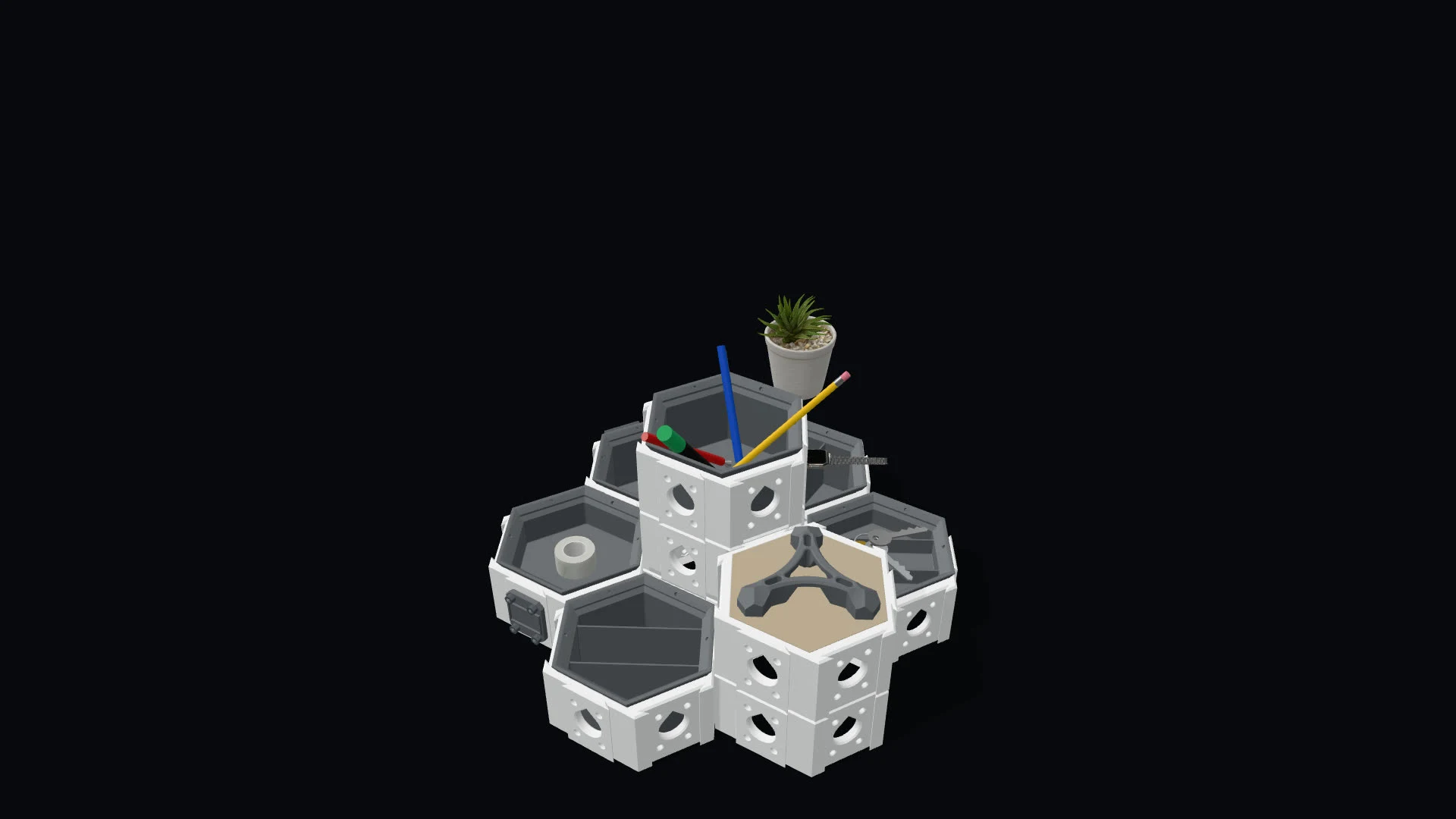
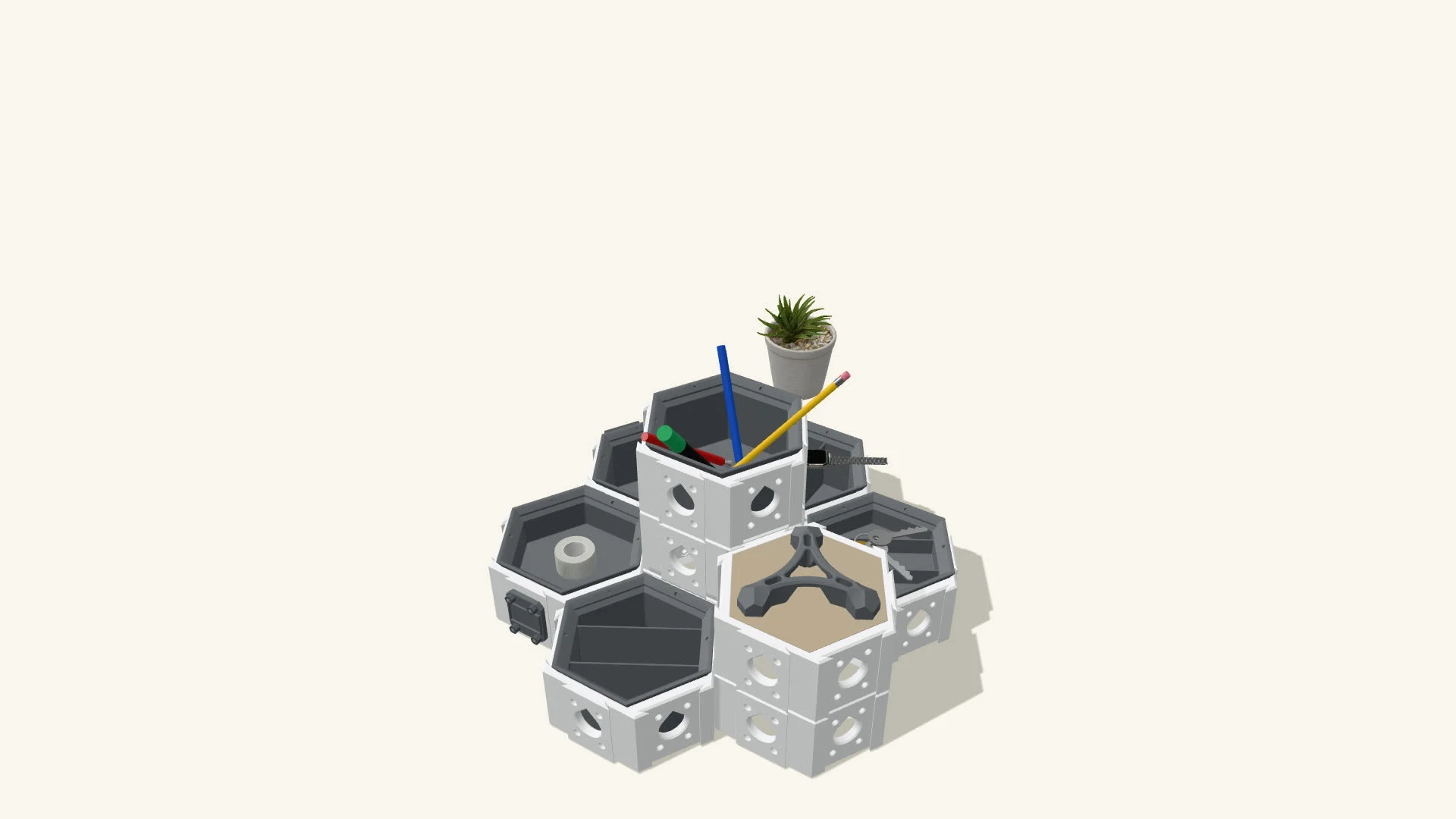
Props
/api/props-pack?ids=alyssum-harvest,alyssum-seedling
- ids
- id,id,…
- Prop names from the props release of 2026-10-18, as picked on onethousanddrones.com/releases.
A zip of the props’ models with the release’s LICENSE.txt inside: they are CC BY, and the licence travels with the files. It answers as a pack does; 404 is a name not in the release. A pick built on request holds up to 8 MB (413 over it); a stored pick has no limit.
Answers
- 200 / 302
- The zip, or a redirect to it.
- 307
- A redirect to the same request written the canonical way.
- 400
- A malformed request, sometimes with the reason in plain text. A bed under 220 x 220 mm says so.
- 404
- Not the current release, or not a published part.
- 503
- Downloads are busy or paused. The page says whose limit and for how long, and Retry-After gives the seconds.
The 1,000-part limit is per download, not per build.
▸ Terms · v1
The Hex Cluster configurator at hex.onethousanddrones.com, its software, the Hex Browser API and this documentation belong to One Thousand Drones, LLC. Permission to use the API is not an open-source license.
What you may do. You may use the documented Hex Browser API (window.hexAPI) to read, change, validate and share builds in the configurator, by hand in your browser or from your own scripts and automated browsers, for personal, educational, research and commercial purposes. You may develop and distribute independent products that interact with the Hex Cluster configurator through the documented API, and you may use the share links, parts lists and validation results you get from it.
What this does not give you. This permission does not authorize copying, modifying, redistributing or rehosting the proprietary configurator implementation or its assets, except where those materials are separately licensed. Functions and fields this page does not document may change or disappear without notice; rely on them at your own risk.
Be a good neighbour. Don't use the API or the download links to put unreasonable load on our services, to get around download limits, or to make it look like One Thousand Drones made or endorses your project. Using the documented API as described here is not the scraping at scale that the Terms of Use rule out.
Names and marks. Hex Cluster™, One Thousand Drones™ and our other marks are listed in the Terms of Use. These terms and CC BY do not license them. You may say truthfully that your product works with the Hex Cluster configurator, as long as you don't suggest we endorse or sponsor it.
Part files are separate. Hex Cluster part files classified CC BY 4.0 are licensed under CC BY 4.0, with the credit line on the Hex Cluster page. CC BY covers those files only. It does not cover the configurator, the API, this documentation or our names.
Experimental. The API is experimental and may change or be withdrawn; changes are listed in the changelog on this page. The configurator checks that parts fit together. It does not check strength, load capacity or print accuracy, and parts are not load-rated.
The Terms of Use apply too. Our Terms of Use, including the warranty disclaimer, the limit of liability and governing law, apply to your use of the API. Where this section and the Terms of Use differ about the API, this section governs.
Last updated 2026-10-24